Cram smarter. Remember everything.
Turn your notes, PDFs, or any topic into AI flashcards in seconds — then review with spaced repetition until it sticks.
- Private by design
- No ads, ever
- Works offline
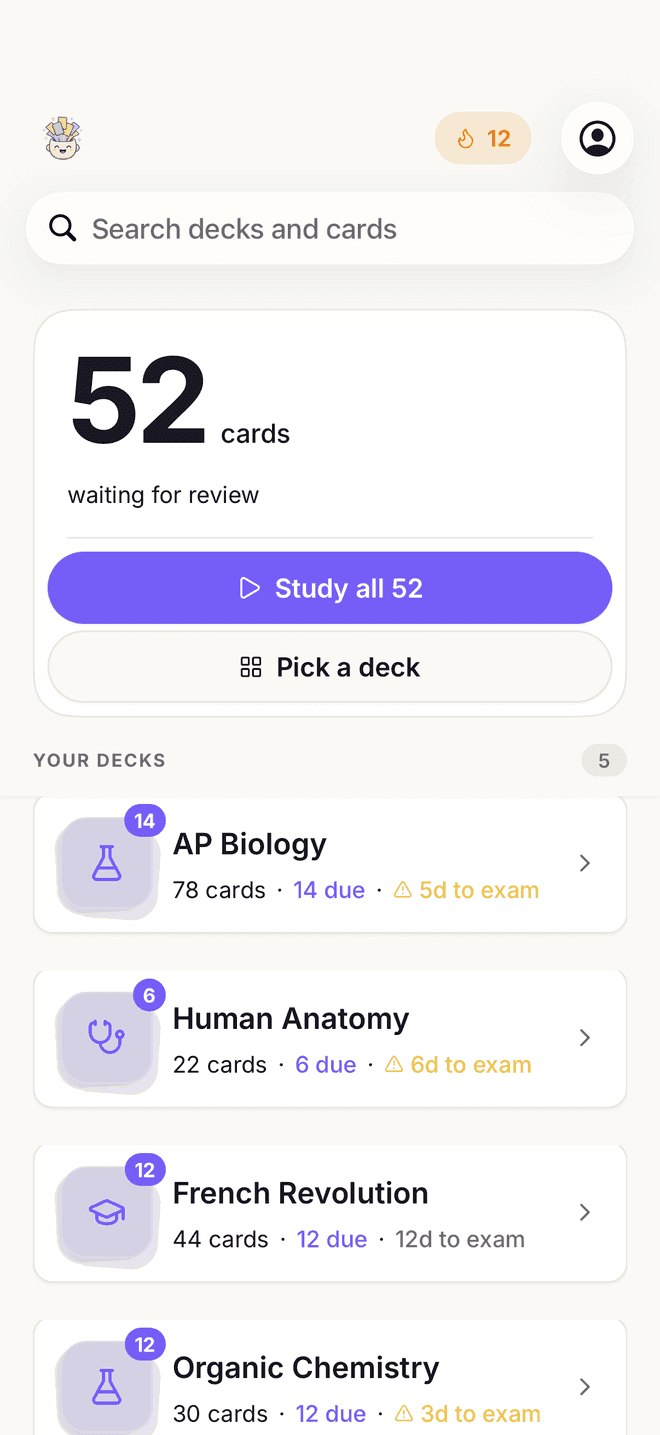

Built on the study methods research ranks highest — active recall and spaced repetition.
See the researchMaking flashcards by hand is the worst part of studying.
You already have the notes, the slides, the PDFs. Turning them into cards is an evening of typing before you have learned a thing — which is exactly why almost nobody does it.

How it works
From notes to memorized in three steps
Add your material
Type a topic, paste your notes, drop in a PDF, share a YouTube link, or photograph a page of handwriting.
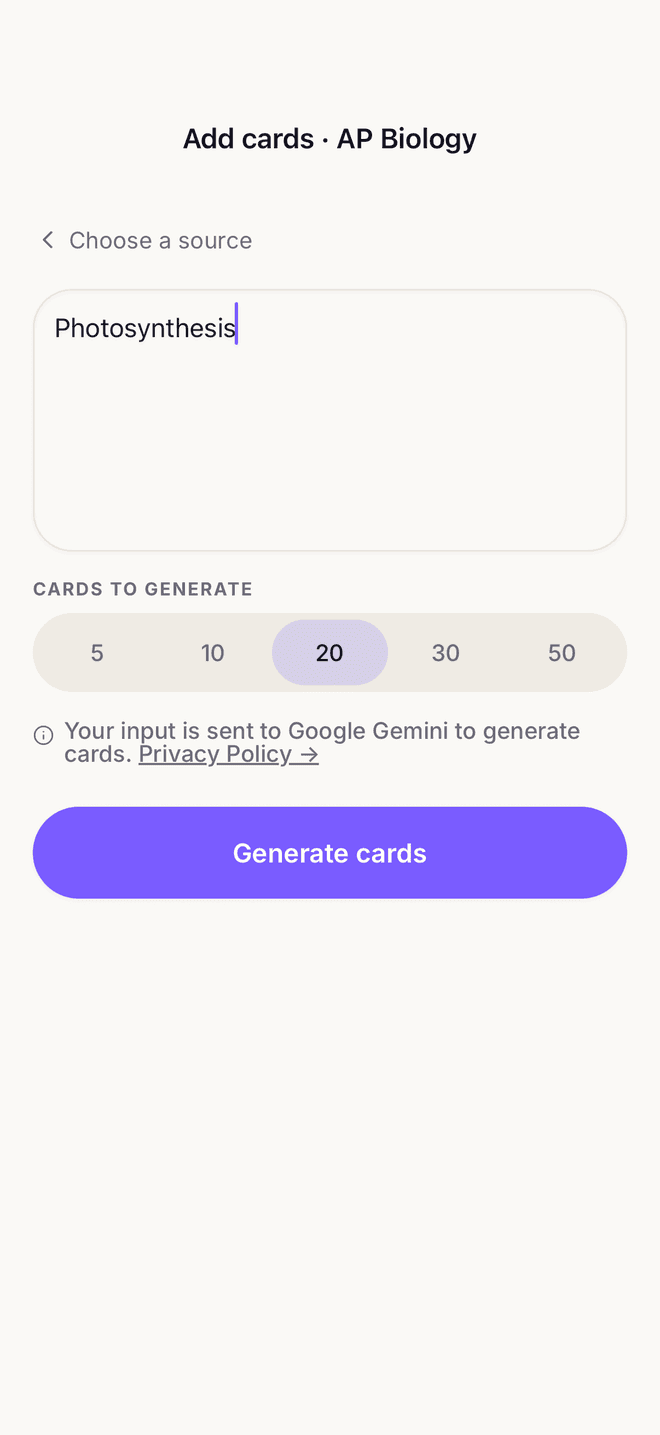
AI builds your deck
It reads the material and writes one clear question per idea — the cards you'd have made yourself, minus the evening.

Review until it sticks
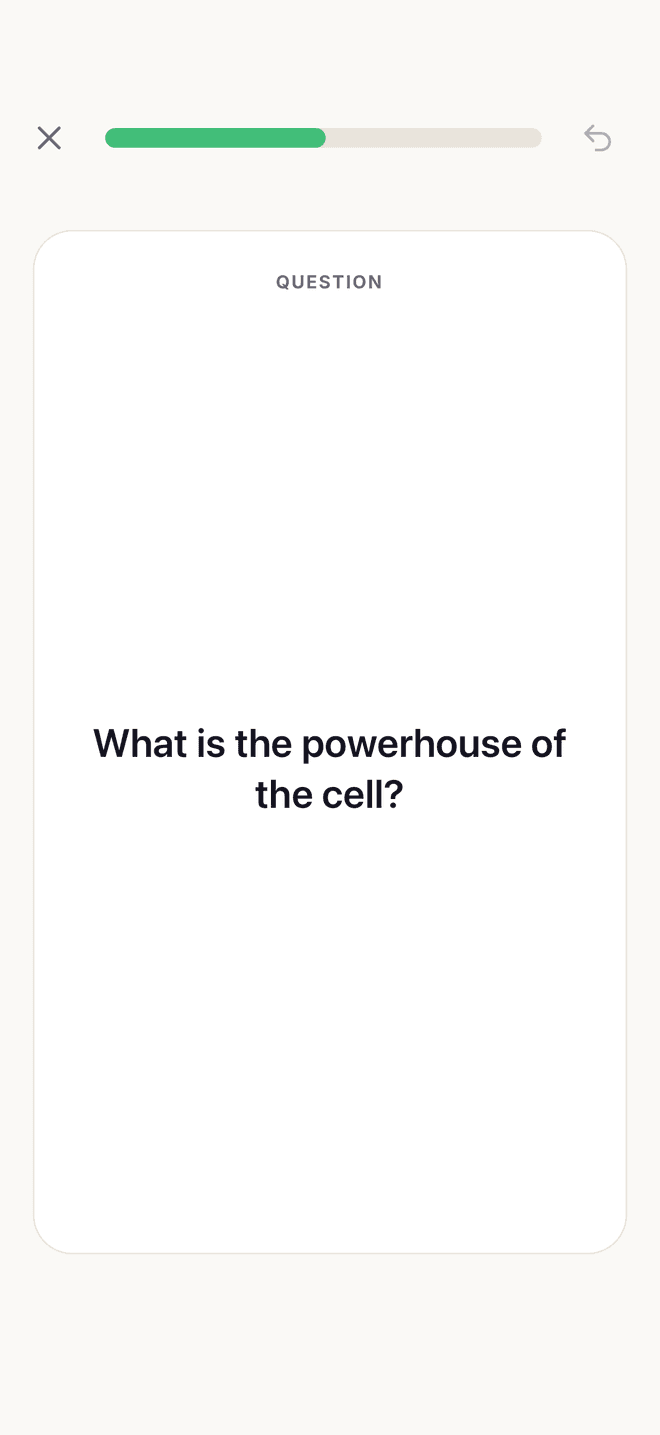
Swipe through the deck. Cards you fumble come back sooner; the ones you know get out of your way.
Why not just use a free app?
“Free” usually costs you something
Cram is a paid app with a free trial — no ads, no data-selling, just your cards. Here's the trade most free apps ask you to make.
- Ads between your study cardsNo ads, ever — the review screen is just your cards
- Your data monetized behind the scenes to pay for itNo data-selling — your notes are used to build your cards, nothing else
- A stranger's deck that might be wrong or incompleteCards built from your own notes, PDFs, and topics
- Daily "lives" that lock you out when they run outStudy as much as you want — no lives, no lockouts
Making the deck is the easy part
Spaced repetition
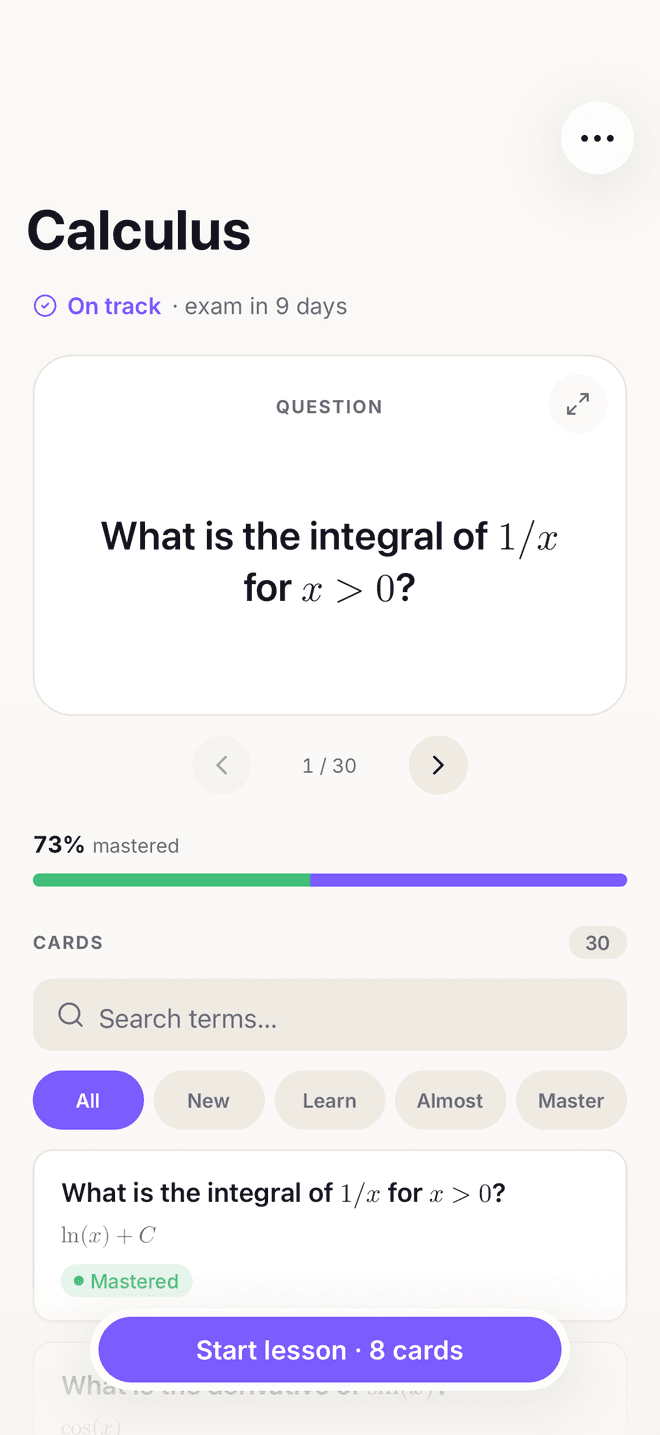
Every card returns at the moment you were about to forget it, and the gap widens each time you get it right.
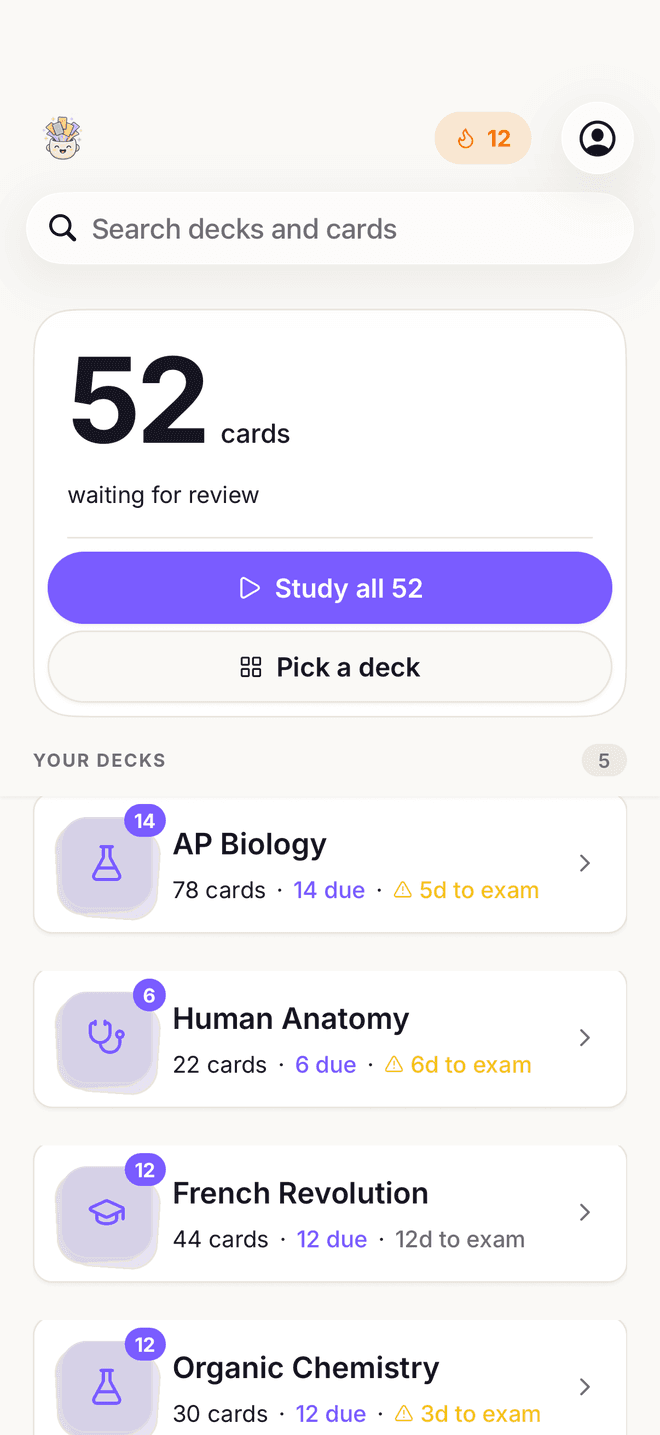
Exam countdown
Every deck shows the days left, so you always know whether you're on track or behind.
From PDFs, notes, links & photos
Lecture slides and textbook chapters, yes — but also a YouTube lecture, a web article, or a photo of a friend's handwriting.
Tuned to your goal
Tell Cram you're revising pharmacology and it writes pharmacology cards, not vocabulary drills.
Offline & synced
Decks live on the device and sync to your account, so the tube and the plane still count as study time.

Walk into your exam ready.
Set your exam date and Cram paces every review so the material is locked in before test day.
Questions, answered
How does Cram make flashcards?
What can I turn into flashcards?
What is spaced repetition?
Is Cram free?
Is my data private?
Which devices does Cram support?
Explore Cram
Stop making flashcards. Start remembering.
One study session from now, you could be reviewing instead of typing.